



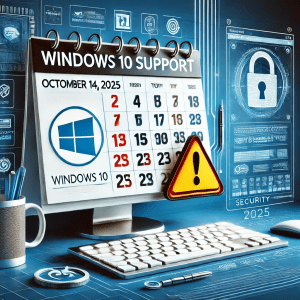
“According to Microsoft, Windows 10 will reach its end of support on October 14, 2025, meaning no more security patches, updates, or assistance will be available—so upgrading to Windows 11—or enrolling in the ESU program—is strongly recommended Microsoft Support.”
Microsoft has officially announced that Windows 10 will reach its end of life (EOL) on October 14, 2025. If your business still relies on Windows 10, it’s time to start planning your next steps to ensure compliance, security, and continued productivity. 5th Gear Technology Concepts is here to help you navigate this transition smoothly and securely.
What Does Windows 10 EOL Mean?
When an operating system reaches EOL, Microsoft no longer provides security updates, patches, or technical support. This creates significant risks for businesses, including:
- Cybersecurity Vulnerabilities – Without security updates, your systems will become easy targets for cybercriminals exploiting new vulnerabilities.
- Compliance Risks – Businesses in regulated industries (healthcare, finance, legal) must maintain secure environments. Running an unsupported OS could put you out of compliance with HIPAA, FTC Safeguards, and other regulations.
- Software Compatibility Issues – Many software vendors stop supporting outdated operating systems, leading to incompatibility with business-critical applications.
- Increased IT Costs – Managing and securing an unsupported OS often requires costly third-party solutions and workarounds.
How to Prepare for Windows 10 EOL
Now is the time to take proactive steps to transition your business away from Windows 10. Here’s how:
- Assess Your IT Environment Take inventory of all workstations and servers running Windows 10. Identify critical applications and dependencies that may require updates or replacements.
- Upgrade to Windows 11 Windows 11 offers enhanced security features, better performance, and improved user experience. Ensure that your devices meet the system requirements for a smooth transition.
- Consider Hardware Upgrades Older machines may not support Windows 11. Investing in modern hardware will improve security, efficiency, and longevity.
- Strengthen Cybersecurity Measures If you must continue using Windows 10 temporarily, deploy endpoint detection and response (EDR) solutions, patch management tools, and other security measures to mitigate risks.
- Partner with an MSSP for a Secure Transition Transitioning from Windows 10 isn’t just about upgrading—it’s about ensuring your IT environment remains secure and compliant. 5th Gear Technology Concepts is your trusted partner in IT security and compliance. Our team ensures:
- A seamless migration with minimal downtime
- Advanced cybersecurity protections to safeguard your data
- Compliance assurance for regulated industries
- Transparent pricing so you know what to expect
Don’t Wait Until It’s Too Late
The countdown to Windows 10 EOL has already begun. The earlier you start planning, the smoother your transition will be. 5th Gear Technology Concepts is here to help businesses like yours stay secure, compliant, and ahead of potential risks. Ready to secure your business for the future? Schedule a Consultation today!

Jay Lewis is the Co-Owner and Chief Marketing Officer of Fifth Gear Technology Concepts, an award-winning MSSP serving regulated businesses in Nashville and beyond. He is also a co-author of the Amazon best-seller Technology Legislation is Coming and a leading voice on cybersecurity employee awareness training. Connect with him on LinkedIn.


0 Comments